How Car Insurance Apps Help Drivers Manage Policies Better
Car insurance apps have made policy management easier for vehicle owners. Instead of depending only on physical documents or branch visits, users can compare plans, buy policies, renew coverage, download documents, raise claims, and track policy status through a mobile platform.
However, choosing and using a car insurance app should be done carefully. Users should understand coverage type, premium, exclusions, claim process, add-ons, renewal dates, and payment safety before making decisions. An app can simplify access, but the policy selection should still be based on actual vehicle needs and financial planning.
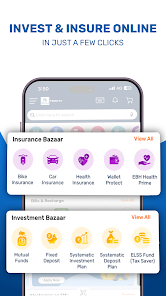
What Are Car Insurance Apps?
Car insurance apps are mobile platforms that help users manage car insurance-related activities digitally. Depending on the platform, users may be able to compare insurers, check premium quotes, renew policies, upload claim documents, track claim status, and download policy copies.
These apps can be useful for both new car owners and existing policyholders. They reduce paperwork and make insurance information easier to access.
A car insurance app may help users:
- Compare car insurance plans
- Buy new policies
- Renew existing policies
- Download policy documents
- Track renewal dates
- Raise claims
- Upload claim photos
- Check claim status
- Review add-ons
- Contact support
- Why Car Insurance Apps Are Useful
Car insurance apps are useful because they keep important policy details available in one place. Users can check policy validity, coverage details, premium amount, and claim information whenever needed.
For busy vehicle owners, this can reduce confusion. Instead of searching through emails or paper files, users can open the app and access policy details quickly.
These apps may also help users avoid missing renewal dates, which is important because driving without valid insurance can create legal and financial problems.
How Car Insurance Apps Work
Car insurance apps usually follow a simple process for policy access and management.
Vehicle Details
The user enters car registration number, model, fuel type, manufacturing year, and previous policy details.
Quote Generation
The app may show available insurance plans based on the entered vehicle details.
Plan Comparison
Users can compare premium, coverage, add-ons, deductibles, and insurer details.
Policy Purchase Or Renewal
The user selects a plan and completes payment digitally.
Policy Document Access
After successful purchase or renewal, the policy document can usually be downloaded.
Claim Support
If an accident or damage occurs, the app may support claim intimation and document upload.
Types Of Car Insurance Coverage
Before using any app, users should understand common coverage types.
Third-Party Insurance
This covers third-party liability as per applicable rules. It does not cover damage to the user’s own vehicle.
Comprehensive Insurance
This includes third-party cover and own-damage cover, depending on policy terms.
Own Damage Cover
This covers damage to the insured car due to events mentioned in the policy.
Add-On Covers
Add-ons may include zero depreciation, engine protection, roadside assistance, consumables cover, and more.
Users should read policy terms carefully because coverage can vary by insurer and plan.
Comparing Policies Through An Insurance App
In the middle of policy selection, an insurance app can help users compare premium, coverage type, add-ons, claim support, and policy terms in one place. This can make decision-making easier, especially for users renewing car insurance for the first time.
However, users should not choose only the cheapest plan. A low premium may come with limited coverage, higher deductibles, or fewer benefits. The better approach is to compare price along with coverage quality, claim process, exclusions, and support options.
Benefits Of Using Car Insurance Apps
Car insurance apps can offer several benefits when used carefully.
Easy Policy Access
Users can view and download policy documents digitally.
Faster Renewal
Renewals can be completed online without visiting an office.
Plan Comparison
Multiple plans can be compared before purchase.
Claim Tracking
Users may be able to track claim status through the app.
Renewal Reminders
Some apps provide alerts before policy expiry.
Reduced Paperwork
Digital documents and uploads can reduce manual work.
Important Details To Check Before Buying
Before buying or renewing a policy through an app, users should check the details carefully.
Important checks include:
- Vehicle details
- Policy type
- Premium amount
- IDV
- Add-ons
- Deductibles
- Exclusions
- Claim process
- Network garages
- Renewal date
- No-claim bonus
- Insurer details
A small mistake in vehicle or policy information can create problems later, especially during claims.
Claim Support Through Apps
Some car insurance apps allow users to start the claim process digitally. They may need to upload photos, describe the incident, submit documents, and follow claim updates.
Common claim documents may include:
- Policy copy
- Driving licence
- Registration certificate
- Accident details
- Repair estimate
- Photos of damage
- FIR, if required
- Claim form
Users should follow insurer instructions carefully and avoid delaying claim intimation.
Payment Safety While Using Apps
Car insurance apps often allow online payment for policy purchase or renewal. Payment safety is important because users enter financial details or approve digital transactions.
Users should:
- Use trusted platforms
- Verify insurer and policy details
- Avoid unknown payment links
- Check premium amount before paying
- Save payment receipt
- Download policy document
- Avoid public Wi-Fi
- Never share OTPs
- Confirm payment status
- Contact official support for issues
Safe payment behaviour can reduce fraud and transaction problems.
Common Mistakes To Avoid
Users should avoid these mistakes while using car insurance apps.
Choosing Only The Cheapest Premium
The cheapest plan may not provide suitable coverage.
Ignoring Exclusions
Exclusions explain what the policy does not cover.
Not Checking IDV
IDV affects premium and claim value.
Missing Renewal Date
Expired policy can create legal and financial risk.
Entering Wrong Vehicle Details
Incorrect details may affect policy validity or claims.
Not Saving Documents
Policy documents and receipts should be stored safely.
How Apps Help With Policy Renewal
Policy renewal is one of the most useful features of car insurance apps. Users can check expiry dates, compare renewal options, update details, and complete payment digitally.
During renewal, users should review whether the existing coverage is still suitable. A car’s age, usage, city, claim history, and add-on needs may change over time. Renewal is a good time to reassess coverage instead of repeating the same policy automatically.
Managing Insurance Along With Digital Payments
A car insurance app may also support bill payment or payment reminders for premium renewal and related services. This can help users keep important financial tasks organised in one place.
However, users should always confirm whether the payment has been successfully processed and whether the updated policy document has been issued. Payment confirmation alone is not enough; the policy status should also be checked.
Conclusion
Car insurance apps can make policy comparison, purchase, renewal, document access, and claim tracking more convenient. They can help users manage car insurance with less paperwork and better visibility.
Still, users should compare coverage carefully, review exclusions, check IDV, understand claim terms, and use safe payment practices. A car insurance app is useful when it supports informed decisions, not when users choose policies only by price or speed.